
The Whirlpool Washer F8E1 Error Code, also displayed as LF (Long Fill Error), indicates that the washer is taking too long to fill with water.
When the control system does not detect the expected water level within a specified time, it stops the cycle and displays the F8E1 error code to prevent further operation.
“F8E1 or LF? Check your water supply first.”
In most cases, the problem is related to restricted water flow caused by closed water supply valves, clogged inlet screens, kinked hoses, or low household water pressure.
Common Symptoms
When the Whirlpool Washer F8E1 Error Code appears, the washer is unable to receive water quickly enough to operate normally. You may notice one or more of the following symptoms:
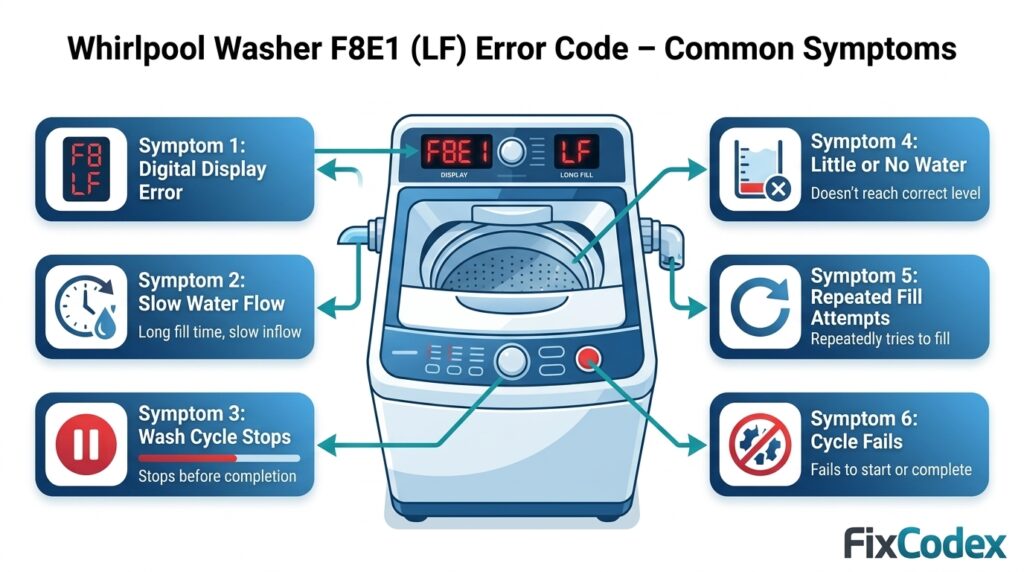
- F8E1 or LF error code displayed
- Washer takes a long time to fill with water
- Wash cycle stops before completion
- Little or no water entering the washer
- Washer repeatedly attempts to fill
- Cycle fails to start or complete
Possible Causes
Several issues can trigger a Whirlpool Washer Long Fill Error:
- Water supply valves partially closed
- Kinked or blocked water inlet hoses
- Clogged inlet valve screens
- Low household water pressure
- Faulty water inlet valve
- Malfunctioning pressure switch
- Wiring issues between components
- Defective main control board
How to Fix Whirlpool Washer F8E1 Error Code
In many cases, the Whirlpool Washer F8E1 Error Code can be resolved by restoring proper water flow to the appliance. Follow these troubleshooting steps below.
Step 1: Check Water Supply Valves
Verify that both the hot and cold water supply valves are fully open. Even partially closed valves can reduce water flow enough to trigger the LF error.
Step 2: Inspect Water Inlet Hoses
Turn off the water supply and inspect the inlet hoses behind the washer. Remove any kinks, twists, or obstructions that could restrict water flow.
Step 3: Clean Inlet Screens
Disconnect the inlet hoses and inspect the small filter screens inside the water inlet valve connections. Remove any debris, sediment, or mineral buildup that may be blocking water flow.
Step 4: Check Household Water Pressure
Ensure your home’s water pressure meets Whirlpool’s operating requirements. Low water pressure can prevent the washer from filling within the expected time.
Step 5: Run a Test Cycle
Reconnect the hoses, restore water supply, and run a test cycle. Monitor the washer to confirm that water enters normally and the F8E1 error code does not return.
Parts That May Contribute to the Error
Although water supply restrictions are the most common cause, persistent F8E1 Long Fill Errors may involve one or more washer components.
Water Inlet Valve
The water inlet valve controls the flow of hot and cold water into the washer. If the valve becomes clogged, damaged, or fails electrically, it may not allow sufficient water into the tub, resulting in a long fill error.
Inlet Valve Screens
Small filter screens inside the inlet valve protect the washer from sediment and debris. Over time, these screens can become clogged, restricting water flow and causing slow filling issues.
Pressure Switch
The pressure switch monitors water levels inside the tub. If the switch fails to detect water levels accurately, the control board may continue waiting for the washer to fill and eventually display the F8E1 error code.
Wiring Harness
The wiring harness connects the inlet valve, pressure switch, and control board. Damaged wires, loose connectors, or corrosion can interfere with communication and cause fill-related errors.
Main Control Board
The control board manages the washer’s fill cycle and monitors incoming water levels. In rare cases, a defective control board may incorrectly trigger the LF Long Fill Error even when water flow is normal.
How to Reset a Whirlpool Washer
After correcting the water supply issue, you can reset the washer using the following steps:
- Turn the washer off.
- Unplug the power cord.
- Wait one minute.
- Plug the washer back in.
- Restart the wash cycle.
If the problem has been resolved, the washer should operate normally without displaying the error.
Still Getting the F8E1 or LoFL Error? Watch This Quick Troubleshooting Video
If your washer is displaying the F8E1 or LoFL (Long Fill) error code and isn’t filling with water properly, a visual guide can help you identify the problem faster.
This helpful video from W Service explains the most common causes of fill-related errors and walks through the steps to inspect water supply valves, hoses, inlet screens, and other key components.
Recommended Video: F8E1 & LoFL Error Code – Washer Not Filling? by W Service.
When to Replace Parts
Consider replacing components if:
- Water supply is normal but the error persists
- Inlet valve fails continuity testing
- Pressure switch readings are incorrect
- Wiring damage is present
- The washer repeatedly displays the F8E1 error after troubleshooting
Related Whirlpool Washer Error Codes
You may also encounter these related Whirlpool washer error codes:
- F0E3 – Overload Condition
- F0E2 – Oversuds Condition
- F7E1 – Basket Speed Fault
- F9E1 – Long Drain Error
- F5E2 – Lid Lock Failure
Click here to view all Whirlpool washer error codes.
Frequently Asked Questions
What does F8E1 mean on a Whirlpool washer?
The F8E1 error code means the washer is taking too long to fill with water. The washer is not detecting the required water level within the expected time.
What causes a Whirlpool LF Long Fill Error?
Common causes include closed water valves, clogged inlet screens, restricted hoses, low household water pressure, or a faulty water inlet valve.
How do I clear the F8E1 error code?
Check water supply connections, clean inlet screens, restore proper water flow, and restart the washer. A power reset may also help clear the error.
Can low water pressure cause F8E1?
Yes. Low household water pressure is one of the most common causes of the Whirlpool Washer F8E1 Error Code.
Is F8E1 a bad control board?
Usually not. Most F8E1 errors are caused by water supply problems rather than a failed control board.
The Whirlpool Washer F8E1 Error Code (LF Long Fill Error) indicates that the washer is not filling with water quickly enough. Most cases are caused by restricted water flow from closed valves, clogged inlet screens, kinked hoses, or low household water pressure. By inspecting these components and restoring proper water flow, you can often resolve the error without replacing parts.
Explore Related Washer Issues
- How to Test Whirlpool W11603810 Control Board Before Replacing It
- Burning Smell in Whirlpool Washer – Is the W11603810 Control Board Damaged?
- Whirlpool Washer Control Panel Not Responding (W11603810 Diagnosis Guide)
Disclaimer: Error code definitions and troubleshooting steps are provided for general informational purposes. Actual causes may vary by Whirlpool washer model. Always consult your owner’s manual and follow appropriate safety precautions before performing inspections or repairs.
2 thoughts on “Whirlpool Washer F8E1 Error Code (LF) – Long Fill Error”