
If your Whirlpool washer shows F9E2 error code, it usually means there is a problem in the drain pump system. This issue prevents the washer from draining water properly, causing the cycle to stop or freeze mid-program.
“Most F9E2 errors can be fixed at home.”
In this guide, you’ll learn what the F9E2 error means, common causes, symptoms, and step-by-step fixes to get your washer working again.
What Does Whirlpool F9E2 Error Mean?
The F9E2 error code on Whirlpool washers indicates a Drain Pump System Problem.
This means the washer is having trouble:
- Draining water from the drum
- Activating the drain pump motor
- Communicating with the pump through wiring or control board
When this happens, your washer may stop mid-cycle and stay full of water.
Common Symptoms of F9E2 Error
If your Whirlpool washer shows the F9E2 error code, it usually points to a drainage problem in the pump system. You may notice the washer struggling to remove water, leaving clothes wet after the cycle finishes.
In some cases, the machine may stop mid-cycle or get stuck on drain or spin mode, often accompanied by a humming sound or water still sitting inside the drum.
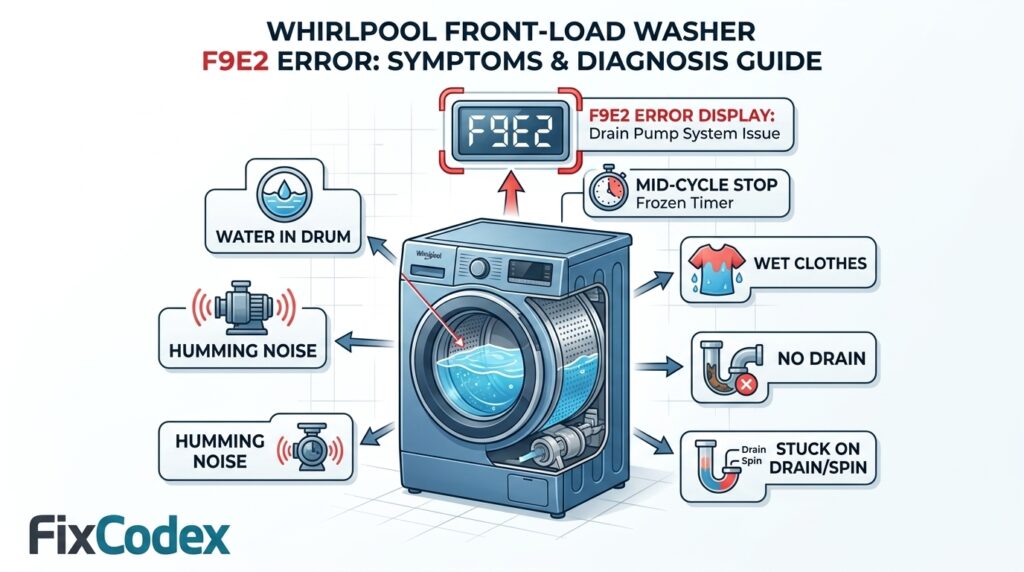
If your Whirlpool washer has F9E2, you may notice:
- Washer will not drain water
- Clothes remain wet after cycle
- Washer stops mid-cycle
- Loud humming noise from the pump area
- Cycle stuck on “drain” or “spin”
- Error code F9E2 displayed on screen
- Water remains inside drum after wash
Main Causes of Whirlpool F9E2 Error
1. Clogged Drain Pump or Filter
Lint, coins, socks, or debris can block the pump or filter, preventing drainage.
2. Faulty Drain Pump Motor
The pump motor may be worn out, burnt, or mechanically stuck.
3. Blocked Drain Hose
A kinked or clogged hose can stop water flow.
4. Wiring or Connection Issues
Loose or damaged wiring between the pump and control board can trigger the error.
5. Control Board Failure
In rare cases, the main control board fails to send power to the pump.
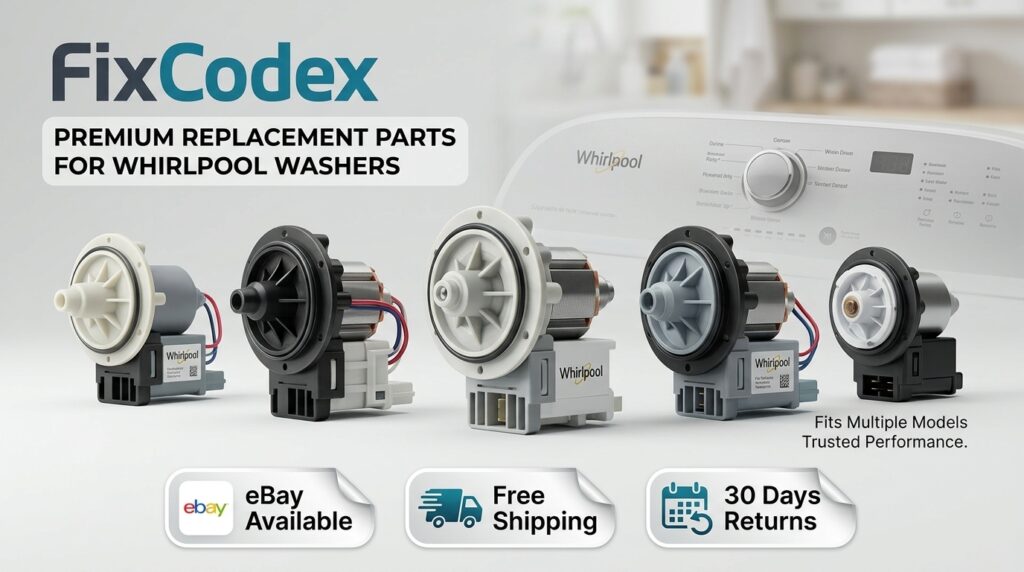
Looking for Whirlpool Washer Drain Pump?
How to Fix Whirlpool F9E2 Error (Step-by-Step)
If your Whirlpool washer shows the F9E2 error code, it usually means there is a problem with the drain pump system preventing proper water removal.
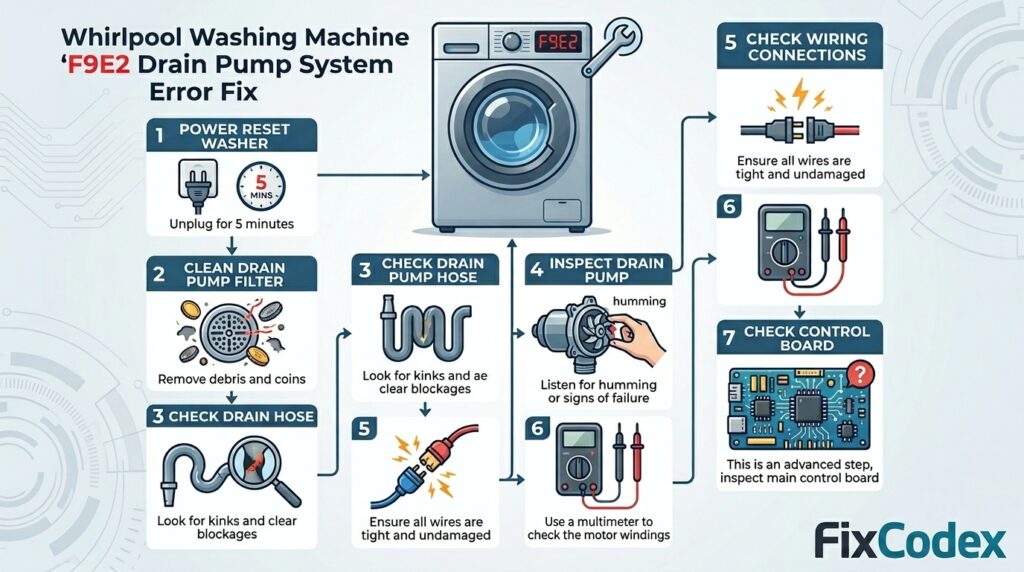
The good news is that this issue can often be fixed with a few simple troubleshooting steps, starting from a basic reset and moving toward deeper inspection. Follow the step-by-step guide below to identify and resolve the problem.
Step 1: Power Reset the Washer
- Unplug the washer for 5 minutes
- Plug it back in
- Run a drain/spin cycle
If the error returns, continue troubleshooting.
Step 2: Clean the Drain Pump Filter
- Locate the pump filter (usually bottom front panel)
- Open access door
- Remove and clean debris (coins, lint, hair, etc.)
- Reinstall filter securely
👉 This is the most common fix.
Step 3: Check the Drain Hose
- Inspect for kinks or bends
- Remove hose and flush with water
- Ensure proper installation height
Step 4: Inspect the Drain Pump
- Listen for humming or buzzing sound
- If pump is silent → possible electrical failure
- If pump is noisy but not draining → likely blockage or damaged impeller
You may need to replace the pump if faulty.
Step 5: Check Wiring Connections
- Inspect wires connected to drain pump
- Look for burn marks, corrosion, or loose plugs
- Reconnect securely if loose
Step 6: Test or Replace Drain Pump
If all else fails:
- Test pump resistance with a multimeter
- Replace pump if readings are abnormal or motor is dead
Common replacement part:
- Whirlpool drain pump assembly (varies by model)
Step 7: Check Control Board (Advanced)
If pump and wiring are good:
- Control board may not be sending power
- This requires professional diagnosis
F9E2 Error? Fix Your Whirlpool Drain Pump Fast!
If your Whirlpool washer is showing F9E1 or F9E2 error codes, it usually means there is a drain system problem stopping your machine from working properly.
In this video, ApplianceVideo.com shows you how to diagnose and repair the drain pump so your washer can drain water again and run normally.
Preventing F9E2 Error in the Future
To avoid future drain pump issues:
- Clean pump filter every 1–2 months
- Avoid overloading washer
- Remove coins and small items from clothes
- Use proper detergent amounts
- Check pockets before washing
When to Call a Technician
You should contact a repair professional if:
- Pump replacement is required
- Electrical wiring is damaged
- Control board issues are suspected
- Error keeps returning after cleaning
Whirlpool Washer Not Draining? Find the Pump Here
FAQ – Whirlpool F9E2 Error
Why is my Whirlpool washer stuck with water inside?
Because the drain pump system is not working properly due to blockage or failure.
Can I fix F9E2 error myself?
Yes, in most cases cleaning the filter or hose fixes it.
How serious is F9E2 error?
It is a medium-level issue related to drainage but usually repairable.
The Whirlpool F9E2 error code is mainly related to the drain pump system, often caused by blockages, pump failure, or wiring issues. In most cases, simple cleaning or inspection can solve the problem quickly.
If you’re experiencing issues with your Whirlpool washer, error codes like F9E1 or F9E2 can help identify the problem quickly. Each code points to a specific fault in the system, making troubleshooting easier. To see a complete list of Whirlpool washer error codes and their meanings, view all codes here.
If the issue continues after basic troubleshooting, the drain pump or control system may need replacement.
Related Articles
- 20 Common Whirlpool Washer Problems and How to Fix Them
- Whirlpool Washer F3E2 Error Code: How to Fix the Water Level Sensor Error
- Whirlpool Washer Control Board Error Codes: F1E1, F7E1, and Other Related Faults
⚠️ Disclaimer: This content is for informational and educational purposes only. Always unplug your appliance before attempting any repair. If you are unsure or uncomfortable with any step, please contact a qualified technician. We are not responsible for any damage or injury resulting from improper use of this information.
💰 Affiliate Disclosure: This post may contain affiliate links. If you purchase through these links, we may earn a small commission at no additional cost to you. This helps support our content and allows us to continue providing helpful guides.
3 thoughts on “Whirlpool Washer F9E2 Error Code – Drain Pump System”